VS Code / Copilot
Connect RedPanda MCP to VS Code and GitHub Copilot via .vscode/mcp.json.
Connect your agent today
Draft from chat, review in your calendar, and publish only what you approve.
Prerequisites
- VS Code with GitHub Copilot and MCP support enabled.
- An RedPanda programmatic token (opo_).
Configuration file
VS Code reads MCP servers from .vscode/mcp.json at the workspace root. The RedPanda entry lives under servers with type set to http.
Setup
Generate your token
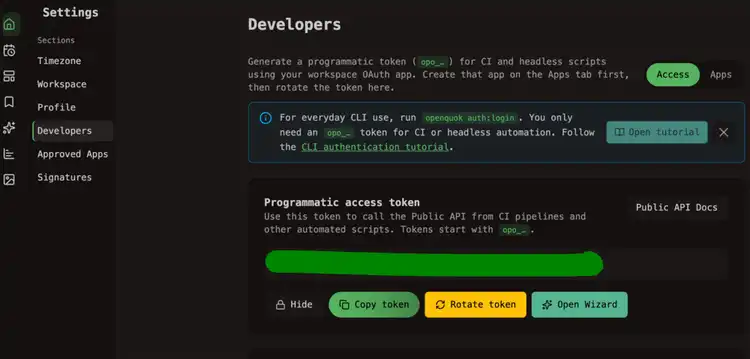
In the RedPanda app, open Account → Settings → Developers → Access. Create an OAuth app if prompted, then generate an opo_… token.
Create or edit .vscode/mcp.json
Reload the workspace
Reload VS Code or reopen the folder so Copilot picks up the new server. Check the MCP panel for redpanda with a healthy status.
Verify
Ask Copilot Chat:
List my connected social media accounts
Copilot should call integrationList and list your channels.
Merge with existing servers
If you already have other MCP entries, add redpanda alongside them inside servers — do not replace the whole file unless you intend to.
Self-hosted API
Point url at BACKEND_DOMAIN_URL + /mcp.