Channel groups
Group RedPanda channels by client or brand, and focus every channel in a group at once in the post editor.
Connect your agent today
Draft from chat, review in your calendar, and publish only what you approve.
What they are
Bundle channels by client or brand — and pick a whole group at once in the composer.
A channel group is a label you put on one or more channels — usually one client, one brand, or one project. Each channel belongs to at most one group. Channels with no group stay in the Ungrouped list.
If you manage social for more than one client, groups keep My Dashboard readable and let you focus on one account at a time.
Put a channel in a group
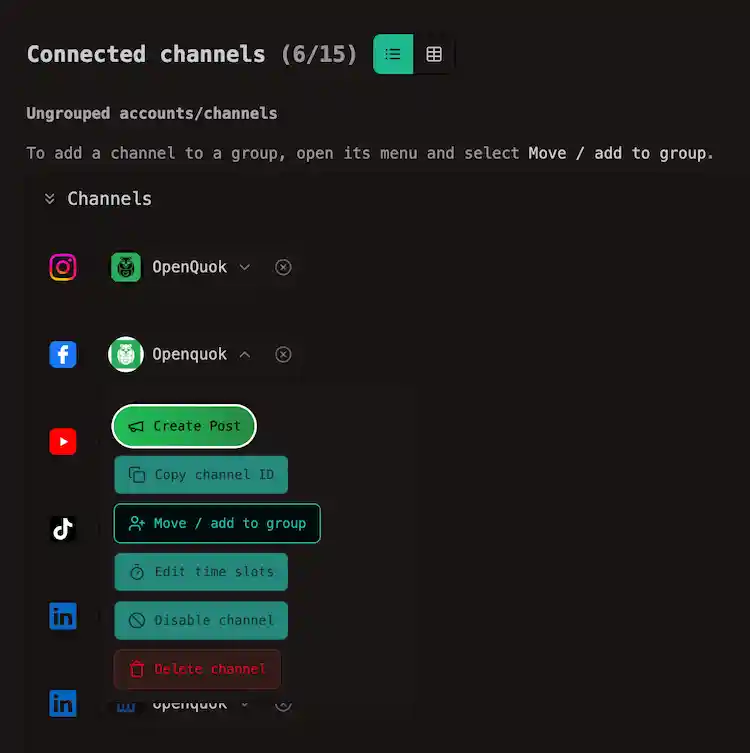
On My Dashboard or the calendar, open a channel’s menu and click Move / add to group.
Then, in the dialog, pick an existing group or type a new name and click Save.This will create the group when the name is new.
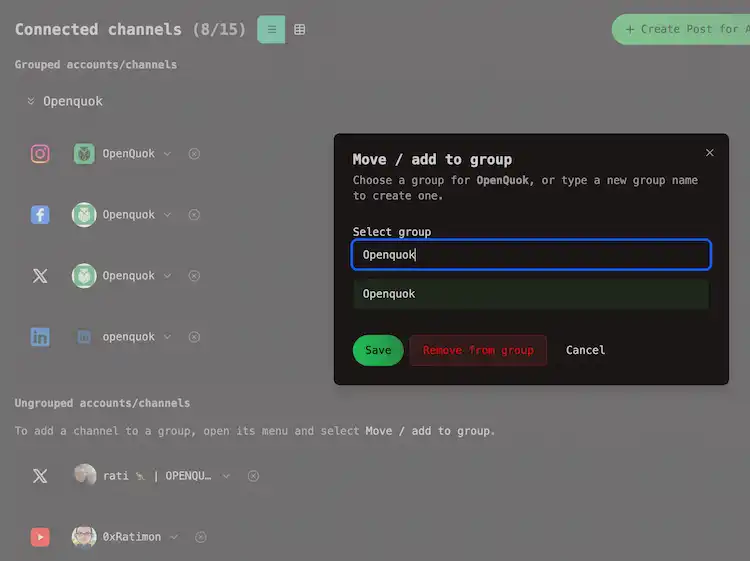
To move the channel back to the ungrouped list, open a channel’s menu again and click Remove from group.
What you get on the Channels tab
On My Dashboard → Channels, once at least one channel is grouped, the grid shows Grouped accounts/channels — collapsible sections, one per group.
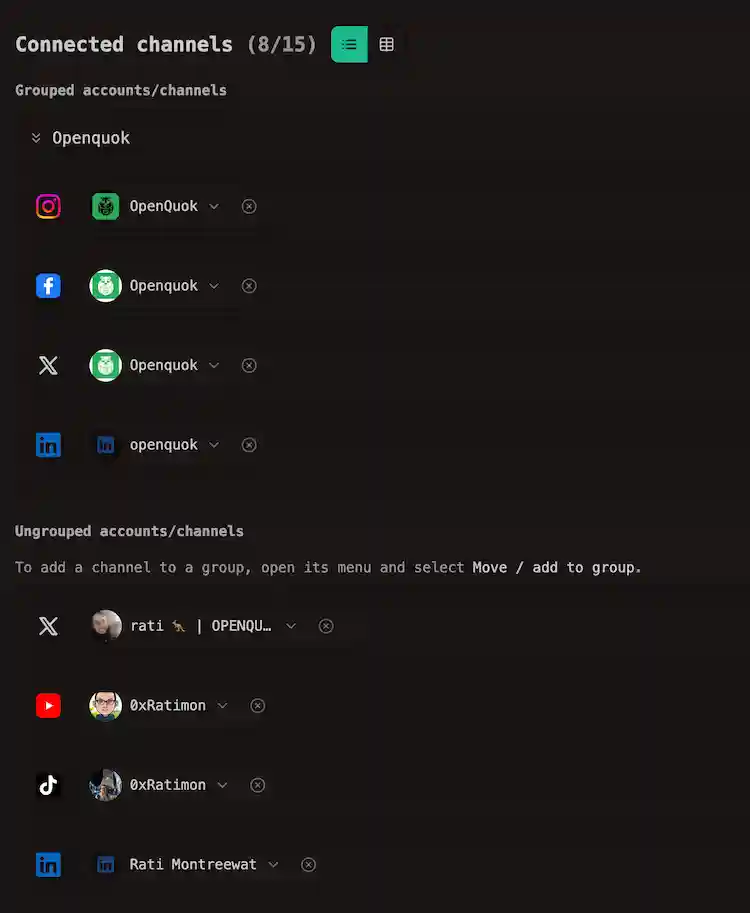
Each section lists that group’s channels and offers shortcuts to compose or open the calendar for that group.
Channels not in any group appear under Ungrouped accounts/channels.
Filtering Channels
When you have groups, a Channel groups filter appears on the Posts tab toolbar on My Dashboard and on the calendar toolbar.
Use it to hide every other client’s posts. Select one group, several groups, or Ungrouped channels only.
Pick a whole group in the composer
In the post editor, open Select grouped channels. RedPanda selects every ready channel in that group in one click — handy when the same caption should go to all of a client’s networks.
You can still add or remove individual channel after that.
Connect a client’s channel first
You do not need their RedPanda login. Send an invite link, so they authorize on the social account themselves.
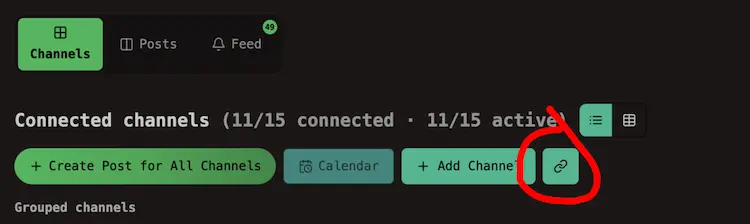
When the channel appears in your workspace, assign it to their group.
See Connect a channel for invite links and which networks support them.
Approval workflow
Grouping pairs with Approvals: put a client’s channels in one group, draft their week, then send preview links for sign-off before anything publishes.
API and automations
The dashboard says channel group. The public API and CLI call the same thing customers.