Approvals
Share a client a preview link and collect client feedback, and schedule once you are happy — no RedPanda login required for external reviewers.
Connect your agent today
Draft from chat, review in your calendar, and publish only what you approve.
What it is
Send clients a preview link so they can read copy and leave feedback — no RedPanda login required.
Every post has a preview page at /p/ plus the post id. Send that link when someone outside your workspace should read the copy and leave feedback — without giving them access to My Dashboard, the calendar, or your other clients.
Where: My Dashboard or the calendar — click a post card or chip once to open Post actions (there is no hover menu), then click Preview. On the kanban, use the card menu if the chip is not visible.
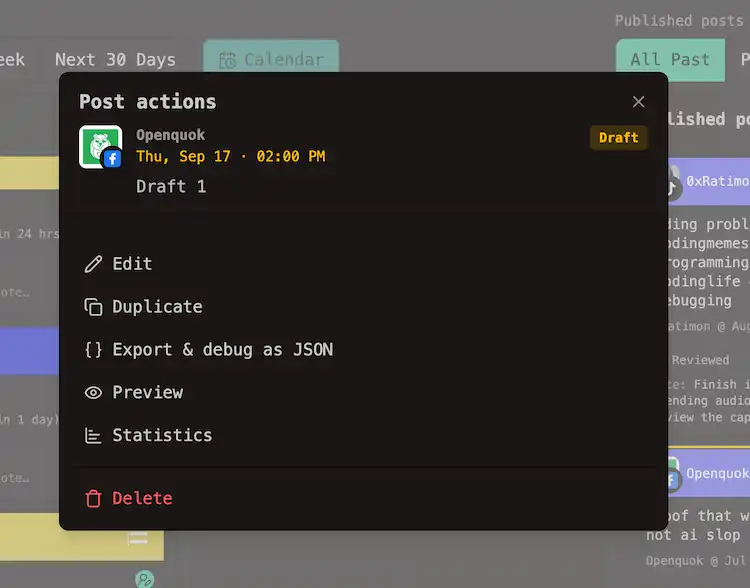
The preview opens in a new tab. Click Share with Others on that page to copy the link and send it by email or chat.
What the reviewer sees
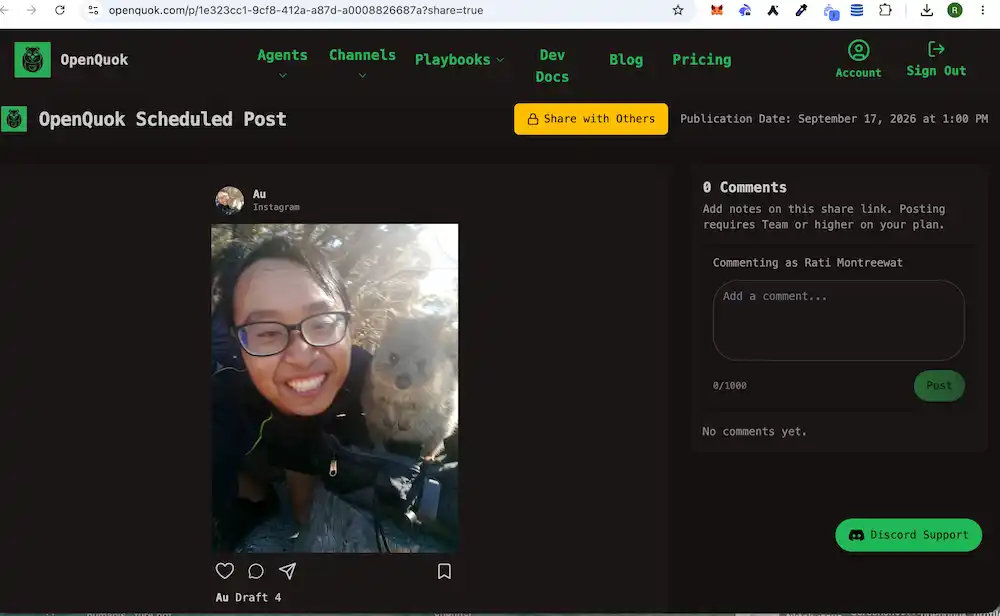
- The post as it will look on the network — caption, media, and thread parts where applicable.
- The scheduled date, when one is set.
- A comment box when collaboration is enabled on your plan.
They do not see your workspace, other channel groups, or any other posts. No RedPanda account is required to read the page.
A simple review cycle
Draft the week
Write posts and save them as Draft so nothing can publish while they are under review.
Send preview links
Click each post to open Post actions, choose Preview, then Share with Others on the preview page. Send the copied URL to your client.
Read the comments
Feedback is stored on the post it belongs to — not scattered across email threads.
Edit and schedule
Apply changes in the composer, then move the post to Scheduled when you are ready to publish.
Pair with channel groups
If you run social for multiple clients, the usual flow is:
- Put their channels in a channel group.
- Filter My Dashboard or the calendar to that group.
- Draft their week.
- Send preview links for posts that need sign-off.
- Schedule once you have heard back.
Limits worth knowing
Cloud plans
Shareable preview links and collaboration comments need Team or above on RedPanda Cloud. Lower tiers can still open previews from the post menu for your own review. See Cloud limits.
Warning
A preview link is not password protected. Anyone with the URL can read the post and comment. Treat it like an unlisted link — only send it to people you trust.
Approval is a conversation, not a locked state. RedPanda does not set an approved flag that blocks publishing. You move the post from draft to scheduled yourself when you are satisfied.